Setting up an ppa in launchpad
Contents
Setting up an ppa in launchpad
After creating an launchpad account First you need to create and publish an OPENPGP key
Generating your key in Ubuntu
The easiest way to generate a new OpenPGP key in Ubuntu is to use the Passwords and Encryption Keys tool.
Step 1 open Passwords and Encryption Keys.
Step 2 Select File > New, select PGP Key and then follow the on-screen instructions.
Now you’ll see your new key listed in the Passwords and Encryption Keys tool. (it may take some time)
Publishing your key
Your key is useful only if other people can verify items that you sign. By publishing your key to a keyserver, which acts as a directory of people’s public keys, you can make your public key available to anyone else.Before you add your key to Launchpad, you need to push it to the Ubuntu keyserver.
Step 1 Open Passwords and Encryption Keys.
Step 2 Select the My Personal Keys tab, select your key.
Step 3 Select Remote > Sync and Publish Keys from the menu. Choose the Sync button. (You may need to add htp://keyserver.ubuntu.com to your key servers if you are not using Ubuntu.)
It can take up to thirty minutes before your key is available to Launchpad. After that time, you’re ready to import your new key into Launchpad!
OR you can direclty to go http://keyserver.ubuntu.com/ on your browser and add the PGP key there
Register your key in launchpad
fire up an terminal and run gpg --fingerprint should give you fingerprints of all the keys. copy paste the required fingerprint into launchpad
Sign Ubunutu Code of Conduct
Download the ubuntu code of conduct form launchpad
gpg --clearsign UbuntuCodeofConductFile will sign the file
now copy the contents of the signed file and paste in launchpad
Wrapping Up
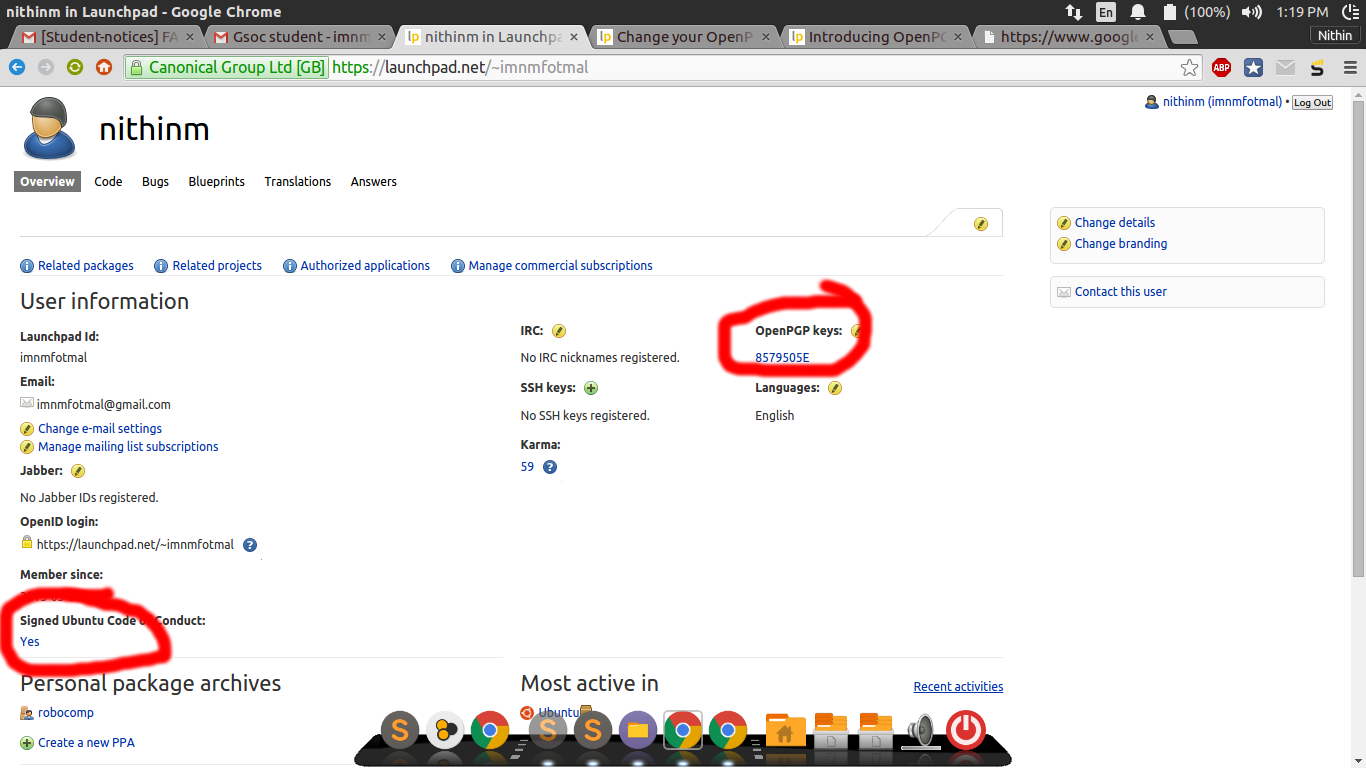
Now everything is set up. make sure you have some key in OPENPGP Keys section and also the signed code of code of conduct as Yes as shown.
Signing Robocomp
For uploading a source package , change the PPA_PGP_KEY in package_details.cmake to the full name of the PGP key. Now run make spackage in the end it should ask you the password of the PGP key you provided